Update users
Before you use MiniTest, you need to provide teacher and student lists.
Sync with Wonde
Schools with a paid subscription can sync data from Bromcom, Arbor, SIMS, and many other MIS providers at no extra charge. By enabling this sync, you no longer need to upload teacher and student CSV files. It's all done using a secure digital platform called Wonde, which most schools already use for syncing other apps and services.
Our only requirement is that all your student and teacher email addresses are saved correctly in your MIS.
If you have a paid subscription and would like to set this up, please contact us. We'll need to know the name, job title, and email address of your Wonde admin, who is typically your IT manager. Please also give them a heads up that MiniTest will be requesting approval. We recommend approving the optional permissions as well as the required ones, as this makes it easier to register parents for automated feedback emails.
Manual uploads
During your free trial, you will need to import two data files in comma-separated (.CSV) format:
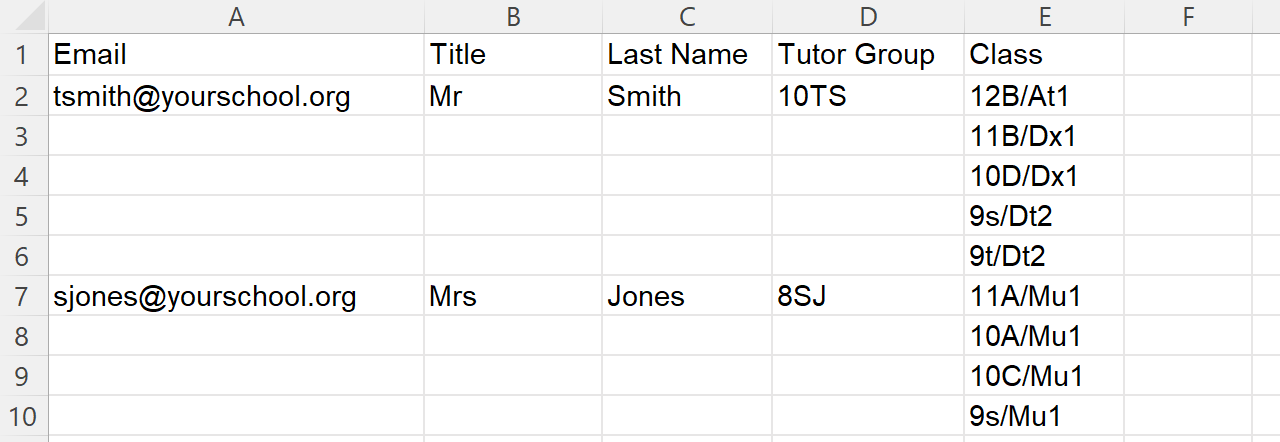
- teachers.csv — columns: Email, Title, Last Name, Tutor Group, Class
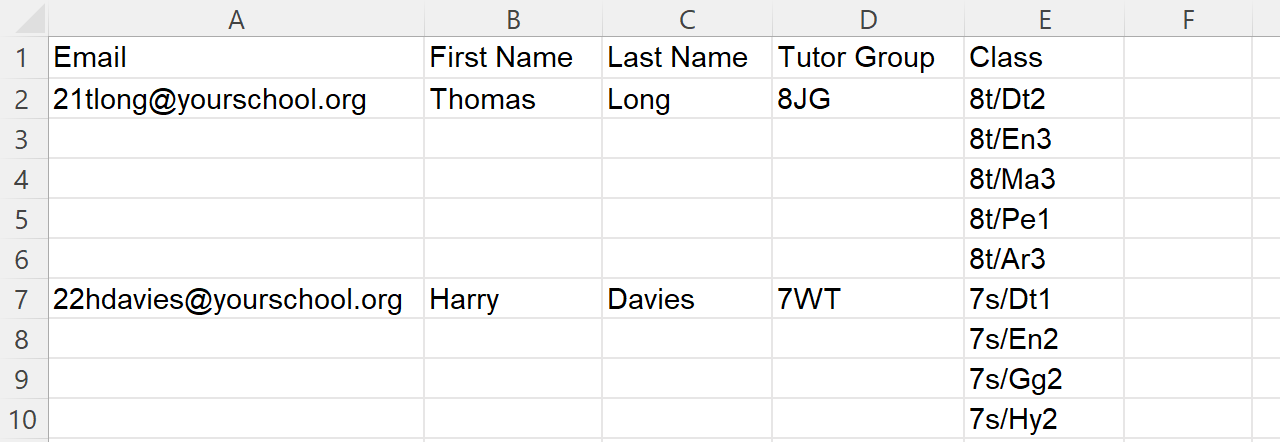
- students.csv — columns: Email, First Name, Last Name, Tutor Group, Class
Updated versions of these files should be re-imported every time your students, teachers, or classes change. You always need to upload complete data files containing all teachers and all students. Any existing users not included in your data files will be archived.
To import your files:
- Hover over your name in the top-right corner and click "Admin".
- Click "Update users".
- Select your teacher and student files and click "Upload".
- If any classes have changed, users will need to sign out and sign back in again to see the changes.
Creating the files using a spreadsheet
For a small number of users, you can create the CSV files manually using spreadsheet software such as Microsoft Excel.
When you save them, select the "CSV UTF-8 (Comma delimited) (*.csv)" option.
Teachers CSV file:
Students CSV file:
Exporting from your Management Information System
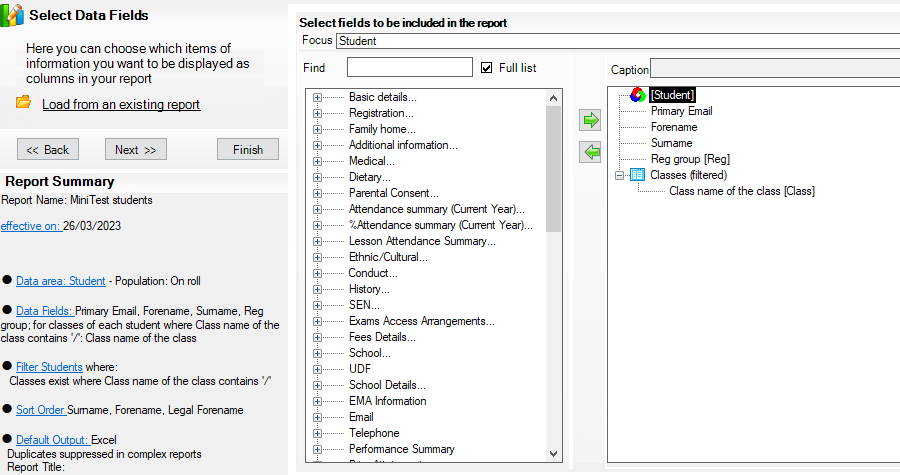
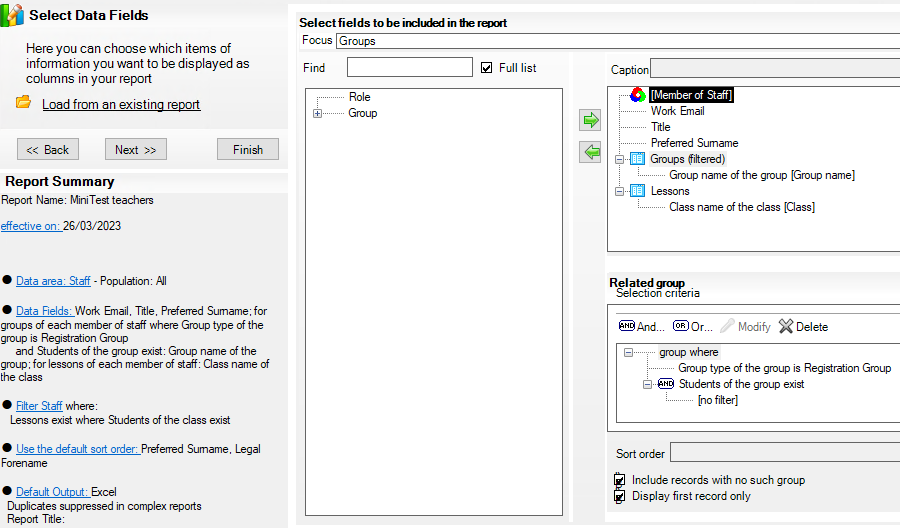
You may be able to ask your school data manager to generate the files from your MIS. Once a report is set up, it can easily be run again in the future. For example, here are some screenshots of how you might set up the reports in SIMS .net.
Teachers report in SIMS .net:
Students report in SIMS .net: